



Explore hundreds of online slots for free! Spin with no signup—just instant fun, exciting reels, and great graphics.
Play Online Slots Games at Casino.com US (2025)
.webp "J Mania Diamonds Slots")
J Mania Diamonds

Mad Hit Hidden Cities
Immortal Ways Sweet Coin
Go High Fruit

Mad Hit Supernova
Go High Gone Fishing
- ...

Cleopatra: This casino game is a timeless classic known to many gamblers. It's commonly found on gambling floors across the country. Now available online for several years, it remains popular due to its solid bonus round and attractive visuals.

Da Vinci Diamonds: IGT's genius idea of using Leonardo Da Vinci for a slot machine was captivating – and although the game was released in 2012, it's still captivating today. With features like tumbling reels similar to Gonzo's Quest, many ways to win, and a good fixed jackpot, even non-art enthusiasts can get excited.

88 Fortunes: Play 88 Fortunes and explore East Asian wonders. With four progressive jackpots and thrilling free spins, this slot offers big winning chances. Luckily, the red background and Asian symbols add to the excitement. The numerous jackpots and bonus rounds make it a top choice. Despite competition from other Chinese-themed games like Lucky 88, Tiger Moon, and Emperor's Garden, 88 Fortunes stands out.

Buffalo: If you've played slots at a casino, you've likely heard "Buffalo!" Now, you can play Buffalo slots online from home. While the graphics are classic and might need updating, this game has its advantages with low variance.

Best Online Slots Casino | 
BetMGM |

Best Slots Casino for Bonuses | 
Betway |

Fastest Withdrawal Slot Site | 
Bet365 |

Best Paying Slots Site |
BetMGM |

Popular Slots Titles | Starburst, Ancient Gods, 88 Fortunes, Dead or Alive |

Total Online Slot Variants | 15,000+ |

Top Slots Software Providers |
NetEnt, Playtech, Microgaming, Betsoft |

Online Slots Apps | Available for iOS and Android |
.svg)

Lots of online slots
Play a variety of online casino slots just for fun! These casinos offer a wide selection of slot games where you can win real money. Choose from classic or video slots with various themes, and enjoy exciting experiences with three-reel and five-reel games. Look for casinos with free slots for fun, and real money games when you want to fully experience the thrill of gambling.

Secure, Quality Gaming
Top gambling sites use reputable software from developers like Playtech, BetSoft, and Microgaming, so you can expect slots with great graphics and smooth gameplay on desktop or mobile devices. All our recommended slots are licensed by gaming authorities and use random number generators for fair play.

Big Bonuses for Big Wins
Most of our top online casinos offer generous welcome bonuses, especially for slots where you’ll often encounter extra spins. These games also boast high payout percentages, and cashing out your winnings is quick and easy with nearly all the available banking options.

An Overall Great Experience
Our shortlisted casinos meet high standards, providing top-notch slots for desktop and mobile users. Enjoy bonus rewards and reliable customer support when needed. We regularly review and update our recommendations to ensure quality gaming experiences.

Three-reel slots: Classic slot machines have traditional symbols like aces, horseshoes, and wilds. Match three symbols on a payline to win. Just choose your coin value and start spinning! Five-reel slots are also popular online – they're like three-reel slots but with more paylines.

Progressive slots: Progressive jackpot slots are linked across many sites with many players. The jackpot can grow substantially, and the winner gets a huge prize. They're some of the best real money slots you can play.
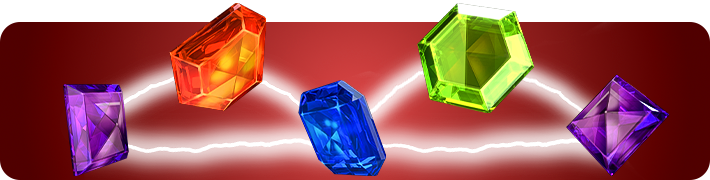
Multi-payline & multi-reel: Multi-payline slots have many lines for winning across multiple reels. You can usually play with 25 or 50 lines. They also have bonus rounds and free spins for extra fun.

Video slots: Video slots are modern versions of classic slot machines. They have themes, bonus rounds, and extra ways to win, and people enjoy playing these fun and innovative casino games.

3D slots: 3D slots are like video slots but with better graphics, cool stories, and characters. You can find 3D slots at many good US casinos.

Branded slots: Branded slots are inspired by movies, TV shows, or cartoons. For example, Lara Croft: Tomb Raider was the first branded slot released in 2004. Many top real money slots sites have branded slots for you to enjoy!
 Real Money Online Slots
 Free Game Slots
Real Money Progressive Slots
Progressive slots are games with a jackpot that grows with each bet. Some are linked across different casinos.
To win the jackpot, you usually need to bet the maximum. It might trigger randomly or through a special bonus game. Generally, bigger bets grant better chances of winning.
Popular progressive slots have the largest jackpots and are played by many. The longer the jackpot goes unclaimed, the bigger it gets. Some games even have multiple levels of jackpots.
Best Progressive Online Slots for Real Money
Top US online casinos offer several progressive slots. Here are five of the most popular ones:
- Divine Fortune (NetEnt): This game has one of the biggest online progressive jackpots in the US. You can win minor, major, or mega jackpots in the bonus game.
- Gong Xi Fa Cai (IGT): An Asian-themed slot with free spins and multipliers. Keep picking red envelopes until you match three gems and win the jackpot.
- Loot’EnKhamun (WinStudios): Part of a group of progressive slots available in US casinos. It has five jackpot prizes, with the Big One Jackpot often exceeding $3 million.
- Stellar Jackpots with Silver Pride (Lightning Box): This African-themed slot has 1,024 ways to win and a free spins bonus. Trigger the Stellar Jackpot Bonus to win Mini, Minor, or Major prizes.
- China Shores with Quick Strike (Konami): An Asian-themed slot with action stacked symbols and free spins. It has a linked two-level progressive jackpot, which can be won randomly during any base game spin. Betting more increases your chances of winning the jackpot.

|
|
|
| Avalon II | 97% |
| Guns ‘n’ Roses | 96.68% |
| Thunderstruck II | 96.65% |
| Wheel of Fortune | 96.6% |
| Mega Fortune | 96.4% |
| Starburst | 96.1% |
| Wizard of Oz | 95.99% |
| Flaming Hot | 95.53% |
| Book of Ra Deluxe | 95.5% |
| Triple Diamond | 95.06% |


Online Slots Strategy Tips
Winning at casino slots is mostly luck, but there are ways to improve your chances. Experienced players have strategies like choosing games with high payouts, practicing bonus rounds, and understanding paylines well. Follow these tips to boost your chances of winning big:

Choose slots with smaller jackpots: Go for real money slots with smaller jackpots. You're more likely to win this way.
Try classic games: Classic slot games often have better payouts. Sometimes it's best to stick with these, even if newer video slots seem exciting!
Play on trusted sites: Only play online slots for real money on trustworthy casino websites. If you're unsure, check Casino.com for top-rated sites.
Watch for bonus rounds: Look for exciting bonus rounds. These offer free spins and jackpots, and understanding paylines can help determine your winning chances.

Microgaming: They have over 20 years of experience and offer favorites like Mega Moolah, Thunderstruck II, and Pharaoh’s Fortune.

Betsoft: With around 200 games, Betsoft features titles like Charms Treasures and Hot Lucky 8.

Playtech: One of the largest providers, Playtech offers games like Age of Gods and Jackpot Giant.

NetEnt: Known for games like Starburst and Dead or Alive 2, NetEnt has been creating games for over 25 years.

IGT (International Game Technology): Based in Las Vegas, IGT offers slots like Cleopatra and Da Vinci Diamond.
Slots Casino |
Bonus Offer |
Payout Speed |
Play Online |

BetRivers | 100% Up to $1,000 on the House | Up to 5 days | Play Now |

PlayStar | 100% Deposit Match up to $500 + 500 Free Spins | Up to 24 hours | Play Now |
|
Betway | 50% Deposit Match Up to $1,000 | 1-2 days | Play Now |
|
BetMGM | 100% Up to $1,000 on the House | Up to 5 days | Play Now |
|
Bet365 | 100% New Player Bonus of up to $100 | Up to 5 days | Play Now |
BetRivers
Bonus Offer
100% Up to $1,000 on the House
Payout Speed
Up to 5 days
Play Online
Play Now
PlayStar
Bonus Offer
100% Deposit Match up to $500 + 500 Free Spins
Payout Speed
Up to 24 hours
Play Online
Play Now
Betway
Bonus Offer
50% Deposit Match Up to $1,000
Payout Speed
1-2 days
Play Online
Play Now
BetMGM
Bonus Offer
100% Up to $1,000 on the House
Payout Speed
Up to 5 days
Play Online
Play Now
Bet365
Bonus Offer
100% New Player Bonus of up to $100
Payout Speed
Up to 5 days
Play Online
Play Now
