1

Fast Payouts
Low Wagering


Fast Payouts
Low Wagering



|
Casino |
Welcome Bonus |
Licence |
Best For |
|
|
Casina |
300% up to NZD10,000 + 300 free spins |
Curaçao GCB OGL/2024/129/0131 |
Card payments, casino-first setup | |
|
Lucky Circus |
Up to NZD8,000 + 1,000 free spins on 1st 5 deposits |
Tobique Gaming Commission |
All-round play, app, large promo calendar | |
|
Dragon Slots |
460% up to NZD 8,000 + 1 Bonus Game + 700 Free Spins |
Curaçao GCB — number not displayed on site |
Pokie-focused players | |
|
Jokery |
350% up to NZD 12,800 Bonus + 100 Free Spins in 3 Bonuses |
Government of Anjouan — 8048/JAZ |
Broad payment mix, multi-category lobby | |
|
Mafia Casino |
250% up to NZD 4,000 + 150 free spins |
Anjouan Gaming Board — ALSI-152406028-F12 |
Casino plus sportsbook, large game library |

Casina
Welcome Bonus
300% up to NZD10,000 + 300 free spins
Licence
Curaçao GCB OGL/2024/129/0131
Best For
Card payments, casino-first setup

Lucky Circus
Welcome Bonus
Up to NZD8,000 + 1,000 free spins on 1st 5 deposits
Licence
Tobique Gaming Commission
Best For
All-round play, app, large promo calendar

Dragon Slots
Welcome Bonus
460% up to NZD 8,000 + 1 Bonus Game + 700 Free Spins
Licence
Curaçao GCB — number not displayed on site
Best For
Pokie-focused players

Jokery
Welcome Bonus
350% up to NZD 12,800 Bonus + 100 Free Spins in 3 Bonuses
Licence
Government of Anjouan — 8048/JAZ
Best For
Broad payment mix, multi-category lobby

Mafia Casino
Welcome Bonus
250% up to NZD 4,000 + 150 free spins
Licence
Anjouan Gaming Board — ALSI-152406028-F12
Best For
Casino plus sportsbook, large game library

Casina is a multi-provider offshore casino holding a Curaçao Gaming Control Board licence (OGL/2024/129/0131), a specific, traceable number you can cross-reference on the GCB register. Visa and Mastercard are the confirmed deposit methods, processed through XLNC LTD, making Casina a practical option for players who prefer card access over e-wallets. The lobby covers pokies and table games across multiple software providers. The site is JavaScript-heavy, which can affect load speed on slower mobile connections. Welcome bonus and withdrawal timelines vary and are shown on the casino's NZ page.
✓ Pros: Traceable Curaçao licence number; Visa and Mastercard supported; straightforward casino-first setup
✘ Cons: JavaScript-heavy site can be slower on mobile; no dedicated app
Quick verdict: A solid choice for Kiwi players who want a verifiable offshore licence and straightforward card-based banking without needing an e-wallet.

Lucky Circus is the most fully featured casino in this group and the easiest to verify from official NZ-facing pages. The current welcome package totals NZD 8,000 plus 1,000 free spins, with a multi-deposit structure. The site clearly shows promotions, Payments, Loyalty Program, VIP Tent, and an Install App path in the main navigation. The game library spans Pragmatic Play, Novomatic, BGaming, Belatra, Print Studios, 3 Oaks, and others, giving you a diverse enough mix to support genuine new-title rotation. Lucky Circus holds a Tobique Gaming Commission licence.
✓ Pros: Largest verified welcome package in this group; dedicated iOS and Android app; broad provider mix; active loyalty and VIP programme
✘ Cons: Offshore rather than locally regulated; full cashier method list is best confirmed on the live payments page
Quick verdict: The strongest all-round option for Kiwi players who want a large welcome bonus, wide game variety, and a dedicated mobile app.

Dragon Slots is a pokie focused casino operating under the Curaçao Gaming Control Board. One important transparency note: unlike Casina, Dragon Slots does not display a licence number on its NZ-facing site, which means the licence cannot be cross-referenced on the GCB register. Players who prioritise full licensing transparency will find Casina or Lucky Circus the stronger choice. For players whose main activity is spinning reels and who are comfortable with that caveat, Dragon Slots offers a slot-led lobby with Curaçao oversight. Welcome bonus and full payment details are shown on the casino's NZ page.
✓ Pros: Pokie-first lobby; Curaçao oversight framework applies
✘ Cons: No licence number displayed on site; weaker licensing transparency than others in this group
Quick verdict: A reasonable pick for slot-focused players comfortable with offshore play, but the missing licence number means it requires more caution than the other casinos reviewed here.

Jokery operates under a Government of Anjouan licence (number 8048/JAZ), a specific, citable reference that distinguishes it from unlicensed operators. Anjouan is a less-established offshore framework than Curaçao or MGA, but the licence number is publicly available. The casino is positioned as a broad, multi-category site, and available information consistently points to a wide range of payment methods, including Visa, Mastercard, Skrill, Neteller, Paysafecard, bank transfer, and crypto. One of the more flexible banking setups in this group. Current welcome bonus and exact withdrawal timelines are displayed on the casino's NZ page.
✓ Pros: Specific Anjouan licence number available; broad payment method selection; multi-category lobby
✘ Cons: Anjouan is a less-recognised offshore regulator
Quick verdict: Best suited to players who want flexibility across payment methods and a multi-category casino and are comfortable with an Anjouan-licensed offshore operator.

Mafia Casino is the most fully verifiable brand in this group. Its NZ homepage currently shows a welcome package of 250% up to NZD 4,000 + 150 free spins, and the indexed NZ lobby lists 551 games covering casino, live casino, jackpots, and sports. The payments section confirms Visa, Mastercard, and Interac e-Transfer, with additional methods available in the live cashier. Mafia Casino operates under an Anjouan Gaming Board licence (ALSI-152406028-F12) and offers 24/7 live chat and email support. It is a casino-plus-sportsbook product, which suits players who want both under one login, but may feel cluttered for those who want a casino-only environment.
✓ Pros: Verified welcome package; 551 games in NZ lobby; 24/7 live chat; casino plus sportsbook access
✘ Cons: Sportsbook-heavy layout may feel busy for casino-only players; Anjouan has a less-established regulatory framework
Quick verdict: A strong fit for Kiwi players who want a large game library and casino plus sportsbook access from a single account.

A visible, traceable licence number is the minimum standard. New Zealand has no domestic online casino regulator, so all NZ-facing casinos operate under offshore licences. The most recognised frameworks are the Curaçao GCB, Malta Gaming Authority, and Tobique Gaming Commission. A casino that holds a licence but does not display its number offers meaningfully less transparency than one that does. See our casino software guide for more on how game provider certification relates to fair play.

Strong NZ casinos offer a broad library spanning pokies, table games, and live dealer options from multiple providers. Look for names such as NetEnt, Microgaming, Evolution Gaming, Pragmatic Play, and Play'n GO. These are studios that publish RTP figures and submit games to independent testing labs. Explore the NZ casino games page for a category-by-category breakdown.

The wagering requirement tells you more about a bonus's real value than the headline amount. A NZD200 bonus at 20x wagering requires NZD4,000 in eligible bets before withdrawal. The same bonus at 60x requires NZD12,000. Always check the wagering multiplier, eligible games, withdrawal cap, and expiry window. Our NZ casino bonuses guide displays full terms for every listed offer.

NZD support removes currency conversion fees on every transaction. Widely accepted NZ payment methods include Visa and Mastercard debit cards, POLi, Skrill, Neteller, Paysafecard, crypto, and bank transfers. E-wallets typically process withdrawals within 24–48 hours; bank transfers take 3–5 business days. Our casinos payment methods guide and best payout casinos guide cover both in detail.

Most Kiwi players deposit and play on a smartphone. Look for a casino that loads quickly on 4G, offers its full game library via browser without a mandatory download, and allows deposits and withdrawals from a mobile device. A dedicated app is an advantage, but not a requirement, if the browser experience is well-optimised. Check our mobile casinos page for more detailed presentation.

Pokies make up around 80% of most casino libraries. RTP rates at licensed providers typically range from 94% to 97%, and these figures are independently verified. Titles range from classic three-reel fruit machines to high-variance video pokies with progressive jackpots. Browse top options in our NZ pokies casinos.

Blackjack, baccarat, and roulette are available at the recommended casinos across multiple variants. European Roulette (2.7% house edge) gives better odds than American Roulette (5.26%) - always choose the single-zero version where both are offered. Our NZ roulette guide compares house edges across the most widely available variants.

Live casino games stream real dealers from studio environments. Evolution Gaming is the dominant provider and is available at most NZ-facing casinos. Game show titles such as Crazy Time and Monopoly Live are consistently popular alongside core table coverage.

Most pokies and table games are available in demo mode before depositing. Live dealer games are for real money play only. Testing a game in demo mode before committing NZD is a straightforward habit that avoids wasted deposits on titles that do not suit your style.

A typical welcome bonus combines a deposit match with free spins. Wagering requirements of 20x–40x on the bonus amount are standard in the NZ market. A 30x requirement on a NZD100 bonus means NZD3,000 in eligible bets before any winnings are withdrawable. Our minimum deposit casinos guide covers casinos where smaller first deposits qualify for the full offer.

Some casinos award bonus credit or free spins on registration without requiring a deposit. Wagering requirements still apply to winnings, and withdrawal caps are usually low. Worth claiming if the terms are reasonable. Our NZ free spins guide compares current free spin promotions across NZ-facing sites.

Most established casinos operate points-based loyalty schemes in which regular play earns credits redeemable for bonus funds, free spins, or cash back. High-volume players are typically invited to VIP tiers with enhanced withdrawal limits, a dedicated account manager, and exclusive promotional access.
|
Method |
Deposit |
Withdrawal |
NZD |
Notes |
|
Visa |
Instant |
1–5 business days |
✓ |
Most widely accepted |
|
Mastercard |
Instant |
1–5 business days |
✓ |
Most widely accepted |
|
POLi |
Rare Availability |
Not available |
✓ |
NZ/AU-specific (deposit only available at Casina) |
|
Skrill |
Instant |
24–48 hours |
Varies |
Fastest e-wallet withdrawals |
|
Neteller |
Instant |
24–48 hours |
Varies |
Fastest e-wallet withdrawals |
|
Paysafecard |
Instant |
Not available |
✓ |
Prepaid voucher; deposit only |
|
Cryptocurrency |
Instant–1 hour |
1–24 hours |
Converted |
Often fastest withdrawal; exchange rate risk |
|
Apple Pay |
Instant |
Not always available |
✓ |
Increasingly common on mobile |
|
Google Pay |
Instant |
Not always available |
✓ |
Increasingly common on mobile |
|
Bank Transfer |
1–3 days |
3–5 business days |
✓ |
Standard for larger withdrawals |

Visa
Deposit
Instant
Withdrawal
1–5 business days
NZD
✓
Notes
Most widely accepted

Mastercard
Deposit
Instant
Withdrawal
1–5 business days
NZD
✓
Notes
Most widely accepted

POLi
Deposit
Rare Availability
Withdrawal
Not available
NZD
✓
Notes
NZ/AU-specific (deposit only available at Casina)

Skrill
Deposit
Instant
Withdrawal
24–48 hours
NZD
Varies
Notes
Fastest e-wallet withdrawals

Neteller
Deposit
Instant
Withdrawal
24–48 hours
NZD
Varies
Notes
Fastest e-wallet withdrawals

Paysafecard
Deposit
Instant
Withdrawal
Not available
NZD
✓
Notes
Prepaid voucher; deposit only

Cryptocurrency
Deposit
Instant–1 hour
Withdrawal
1–24 hours
NZD
Converted
Notes
Often fastest withdrawal; exchange rate risk

Apple Pay
Deposit
Instant
Withdrawal
Not always available
NZD
✓
Notes
Increasingly common on mobile

Google Pay
Deposit
Instant
Withdrawal
Not always available
NZD
✓
Notes
Increasingly common on mobile

Bank Transfer
Deposit
1–3 days
Withdrawal
3–5 business days
NZD
✓
Notes
Standard for larger withdrawals
Most Kiwi players access casinos on a smartphone. Look for a casino that loads quickly on 4G, offers its full game library via browser, and allows deposits and withdrawals from a mobile device. Lucky Circus is the only casino in this group with a confirmed dedicated app. Our NZ mobile casino guide ranks the top options on mobile-specific performance.
Tip by our Experts: Before registering, open the casino's site on your phone and navigate to the games lobby and cashier. If either feels slow or unresponsive, it is a reliable indicator of a poor mobile experience.


A Lotto player from Ashburton has become New Zealand's latest multi-millionaire after claiming a NZ$28.6 million Powerball prize, the largest jackpot won so far in 2026.
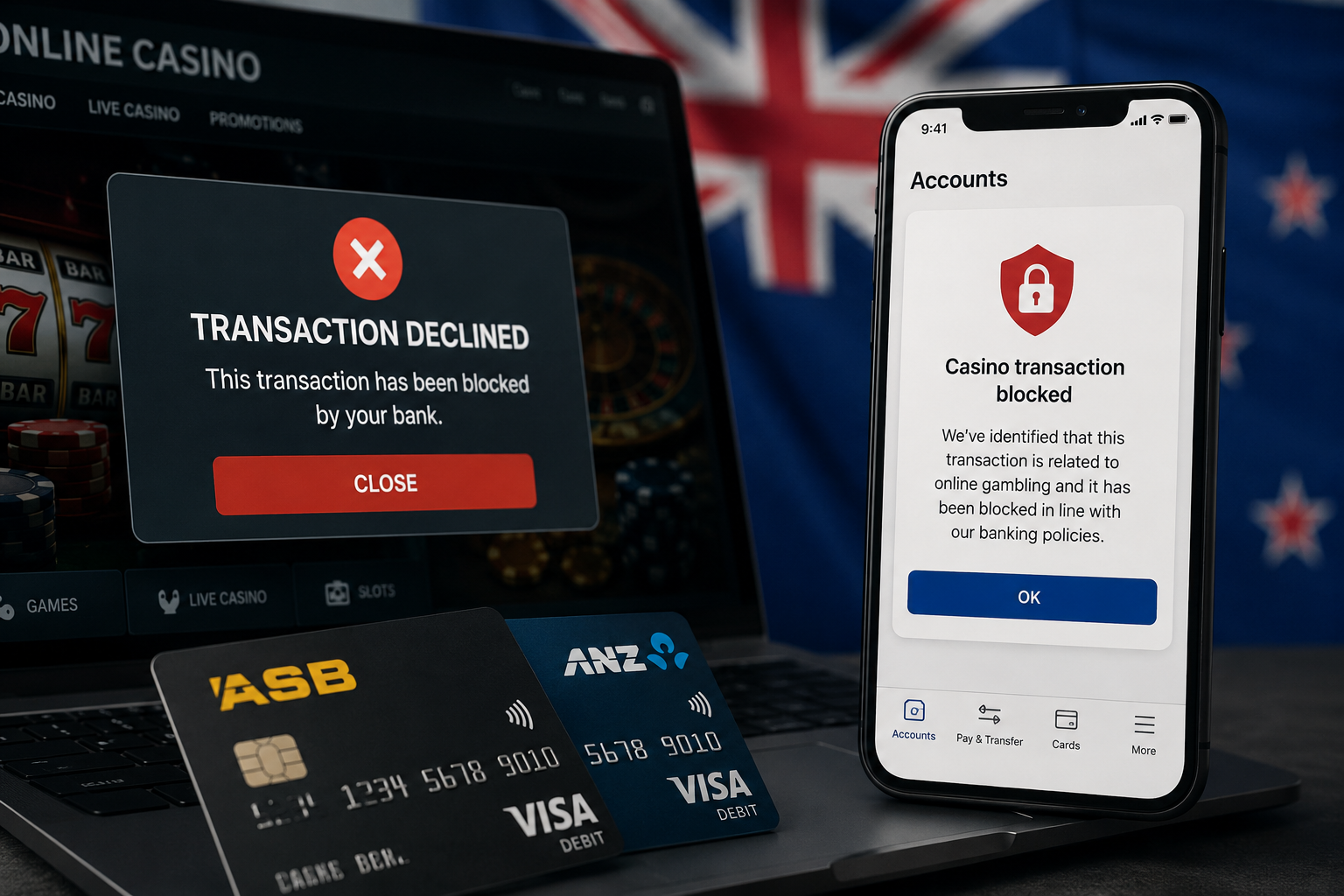
Reports of casino payment blocks by major New Zealand banks are prompting players to look at alternative funding methods for online gambling accounts.

New Zealand’s upcoming online casino framework includes a ban on affiliate marketing, creating uncertainty around how operators will attract players in the regulated market.

New Zealand’s online gambling reforms are moving from legislation into implementation as regulators prepare for licensing, enforcement, and market transition.
New figures suggest New Zealand’s offshore online gambling market had already grown into a billion-dollar sector before the country’s new licensing regime arrived.
New Zealand is preparing for the next stage of online casino regulation, with expressions of interest expected to open in July 2026.
A former Auckland Rugby League employee has been sentenced after stealing more than $133,000 while struggling with a gambling addiction.
A New Zealand gambling lawsuit has widened beyond SkyCity to include offshore operators, raising fresh questions about regulation.
Entain is aiming to secure a major share of New Zealand’s future online casino market, as operators position ahead of upcoming regulation.